How to Receive Money | Claim USDC/USDT Payments | reply.cash
Receive via wallet address
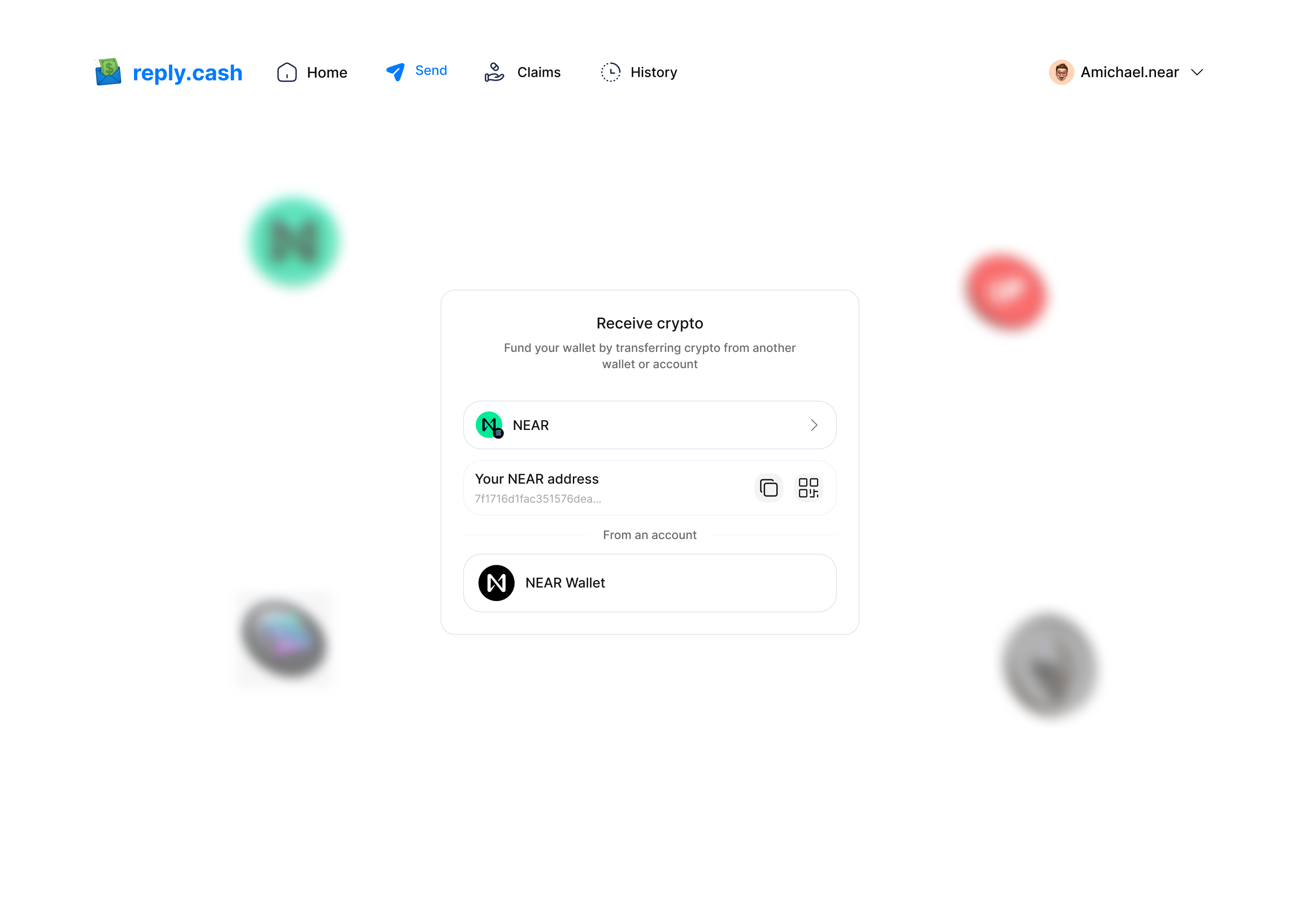
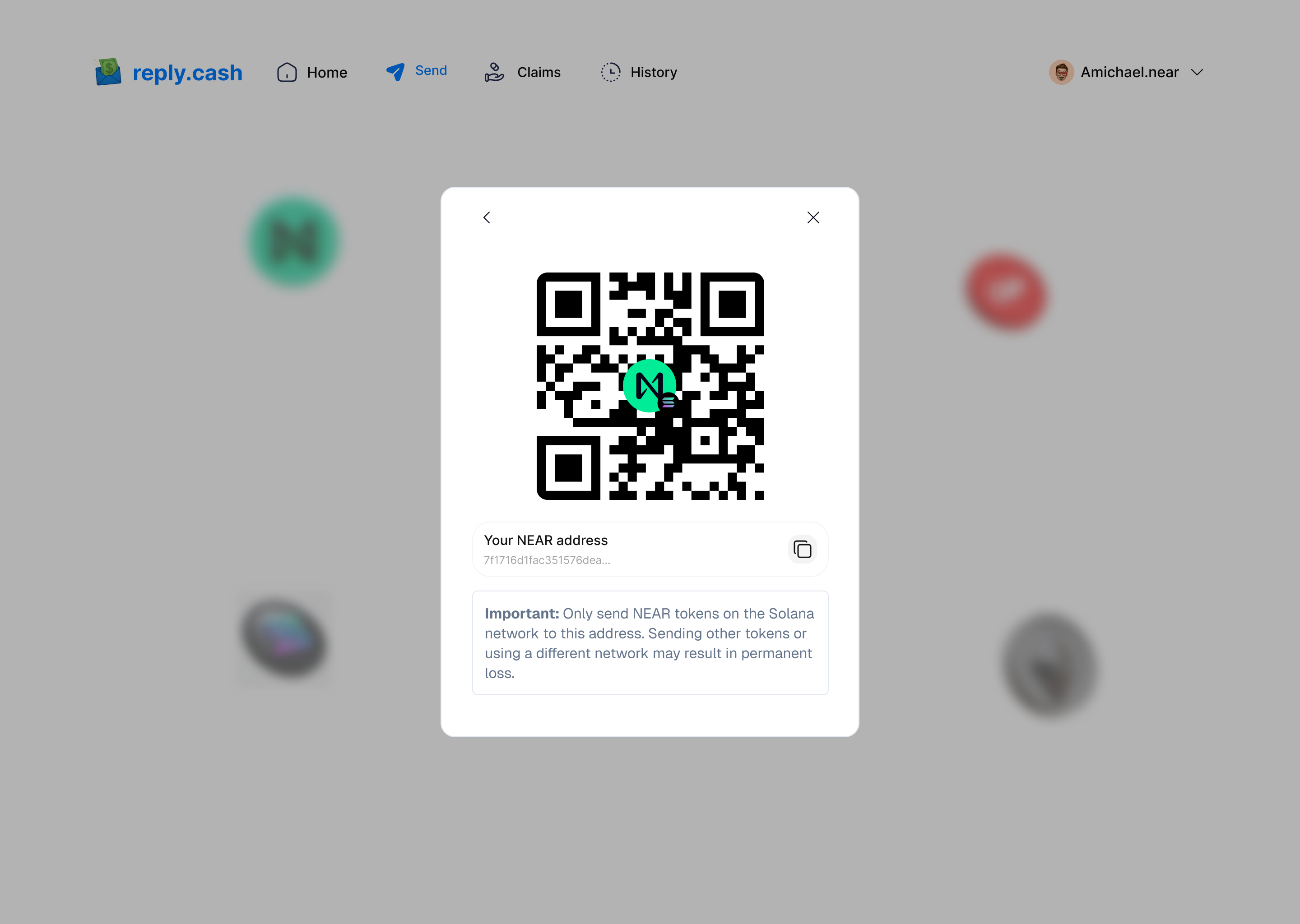
- Tap "Receive" on the home screen.
- Your wallet address and QR code will be displayed.
- Share your address or let the sender scan your QR code.
- You’ll be notified when the transaction is confirmed.
Receive via mobile money or bank deposit
When someone sends you money via reply.cash to your mobile money account or bank:
- The sender enters your phone number or account number.
- Funds are automatically converted to your local currency.
- You receive the funds directly in your mobile money or bank account.
- You'll receive an SMS or app notification confirming the deposit.
- No wallet or account setup required - funds arrive directly.
Benefits for recipients:
- ✅ No wallet needed - Receive funds directly in your existing mobile money or bank account
- ✅ No registration required - No need to register mobile money numbers or create accounts
- ✅ Instant access - Funds are available immediately for use
- ✅ Privacy - Avoid mobile money registration tracking
- ✅ Free to receive - No fees for receiving payments
Note: If you have a Solana wallet connected to reply.cash, you can also receive USDC directly to your wallet address (see "Receive via wallet address" above).
View transaction history
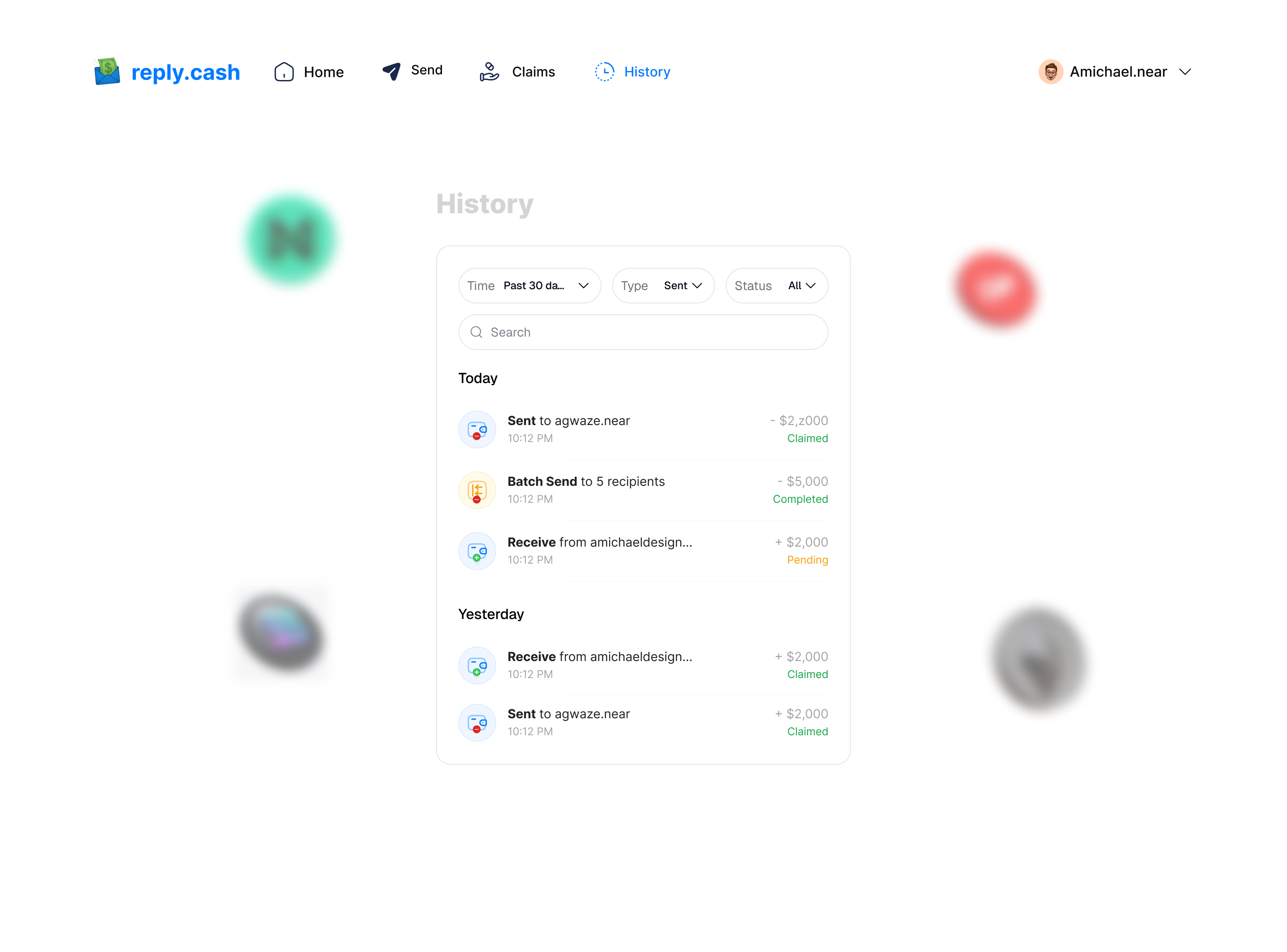
- Tap the "Transactions" tab.
- Browse past transactions.
- Filter by date, amount, or type.
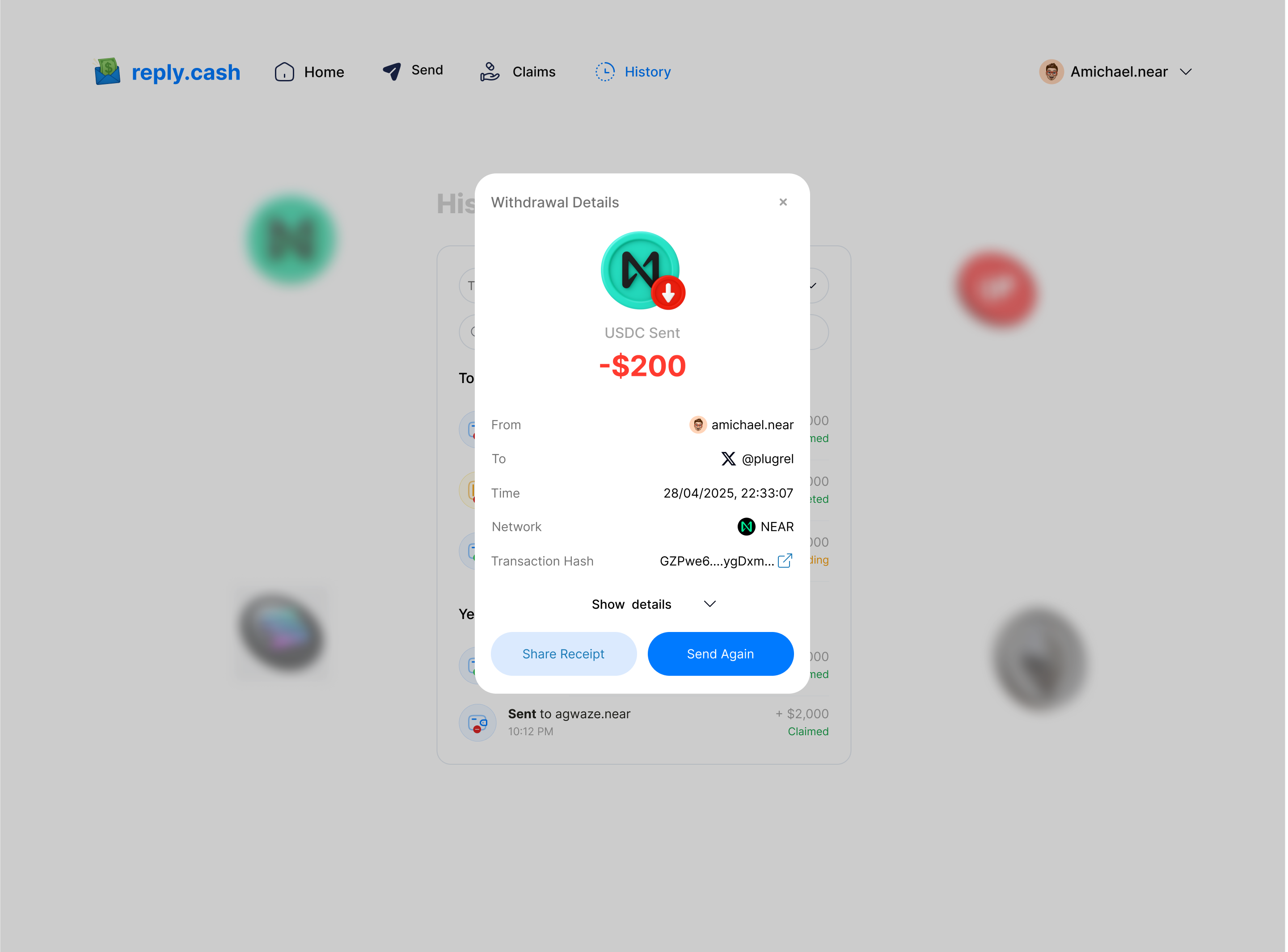
- Tap any transaction for details.
- Export as CSV via the "Export" button.
See Also
- 📖 Getting Started - Set up your wallet
- 💰 How to Send Money - Send to mobile money and banks
- 🌍 Supported Platforms - All supported countries and payment methods
- ❓ FAQ - Common questions about receiving payments
- 🔧 Troubleshooting - Fix common receiving issues
- 💳 Withdraw Funds - Withdraw from your wallet